Inside the app
Real screens, not mockups.
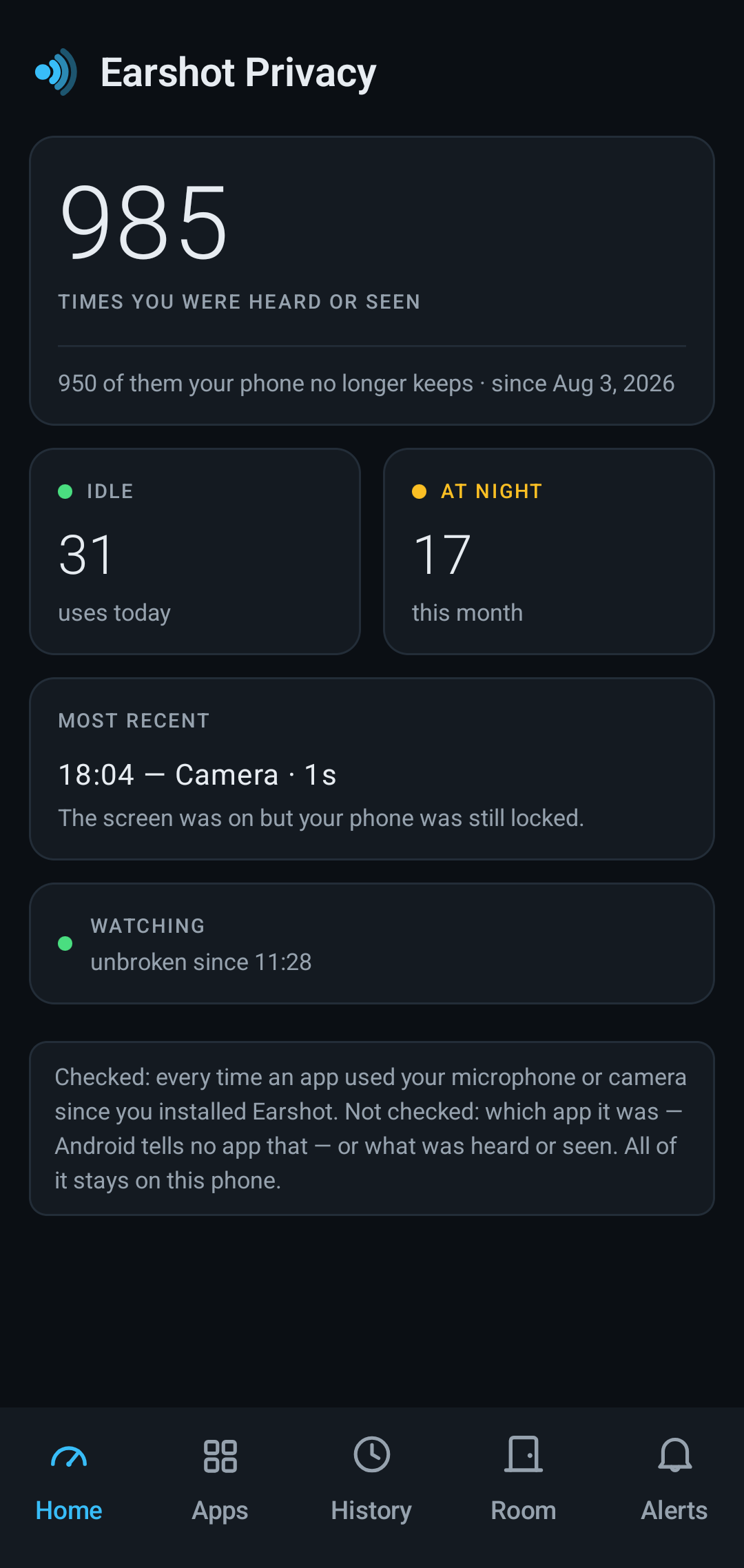
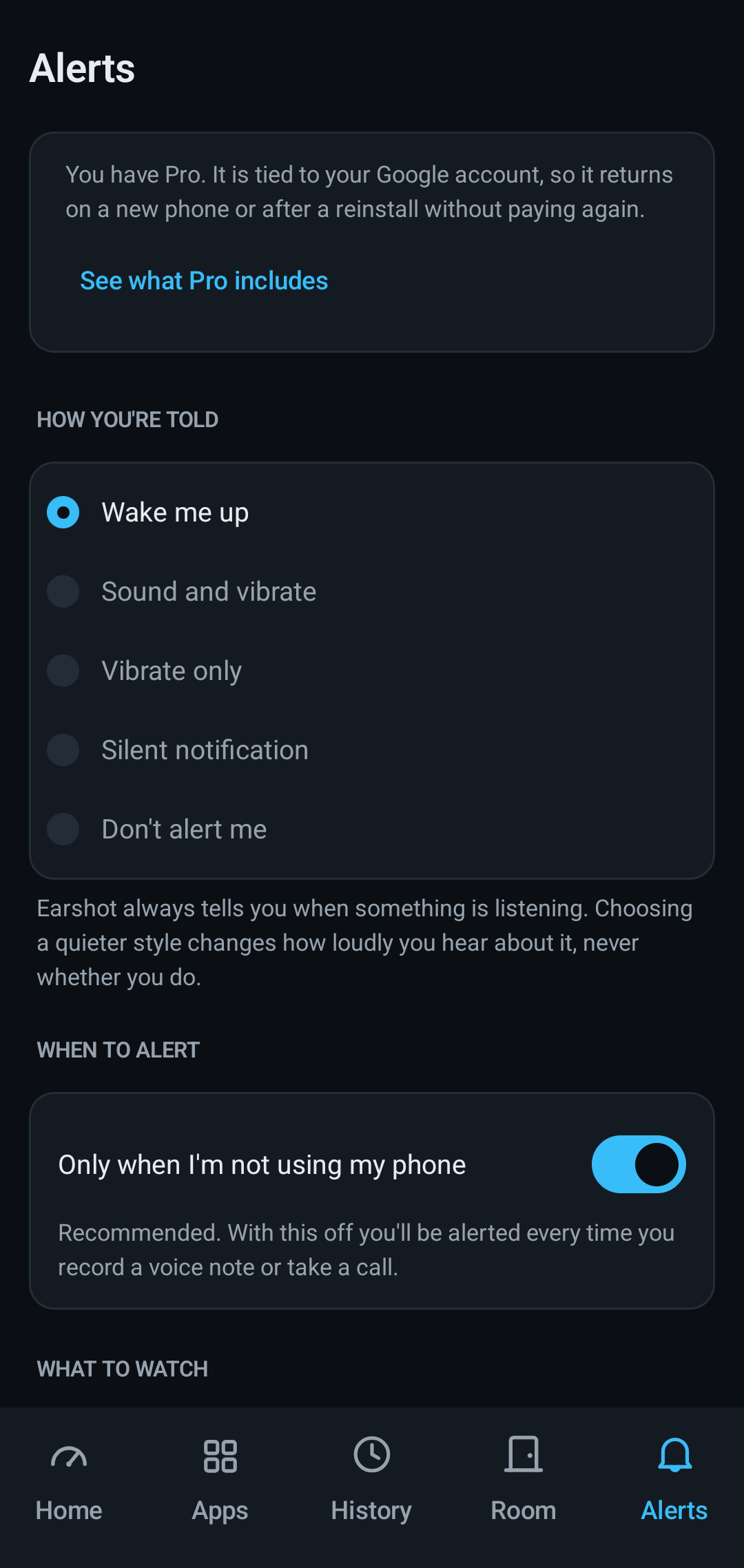
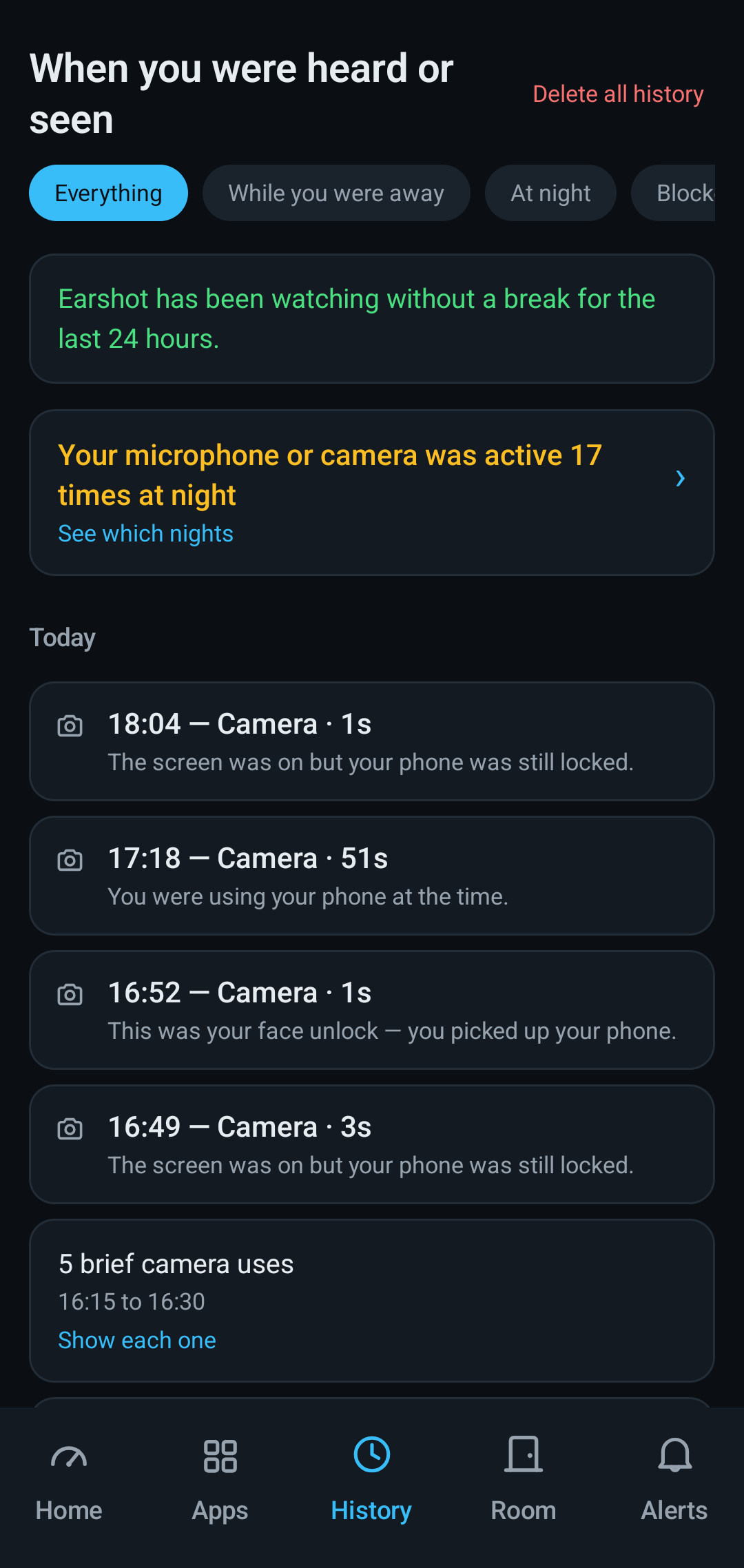
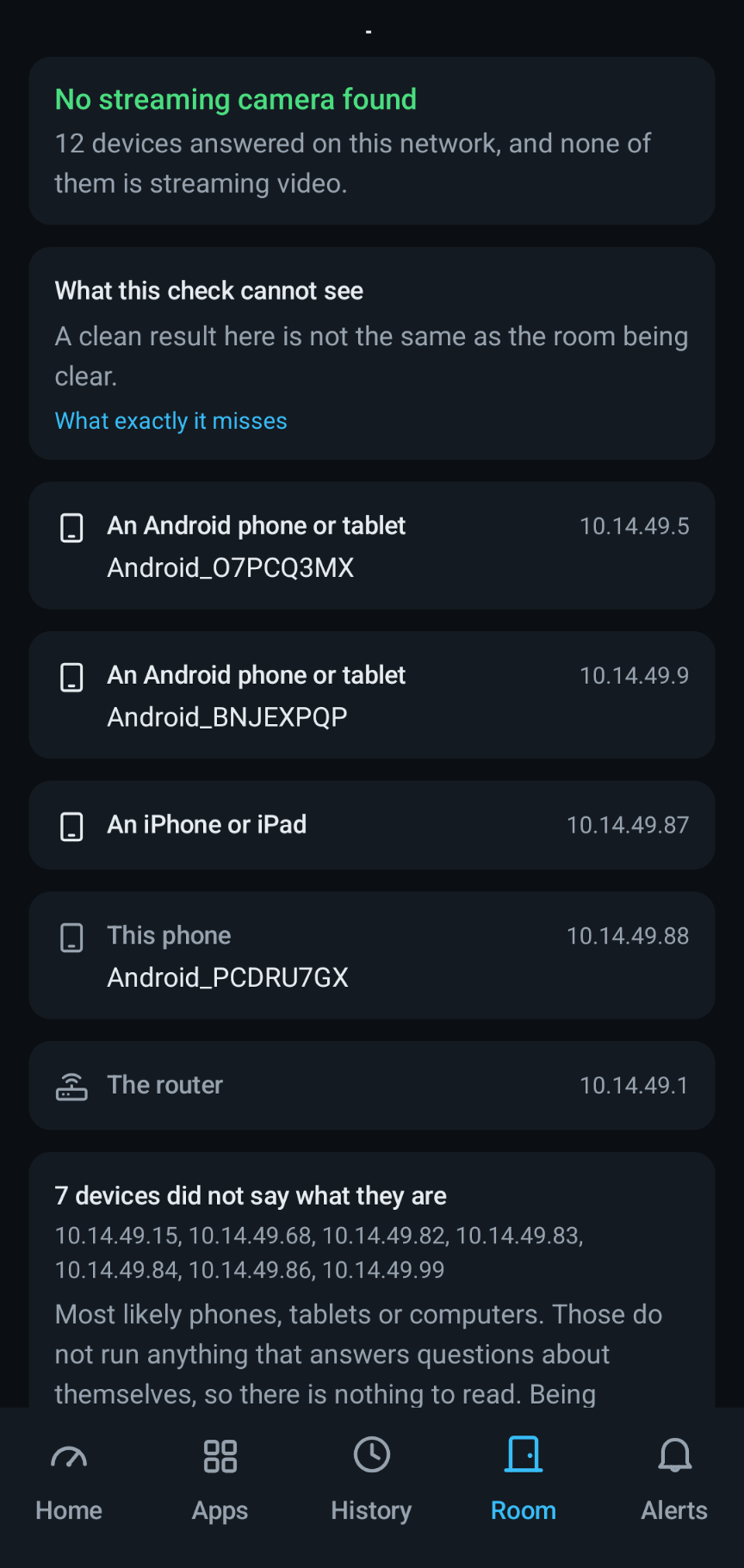
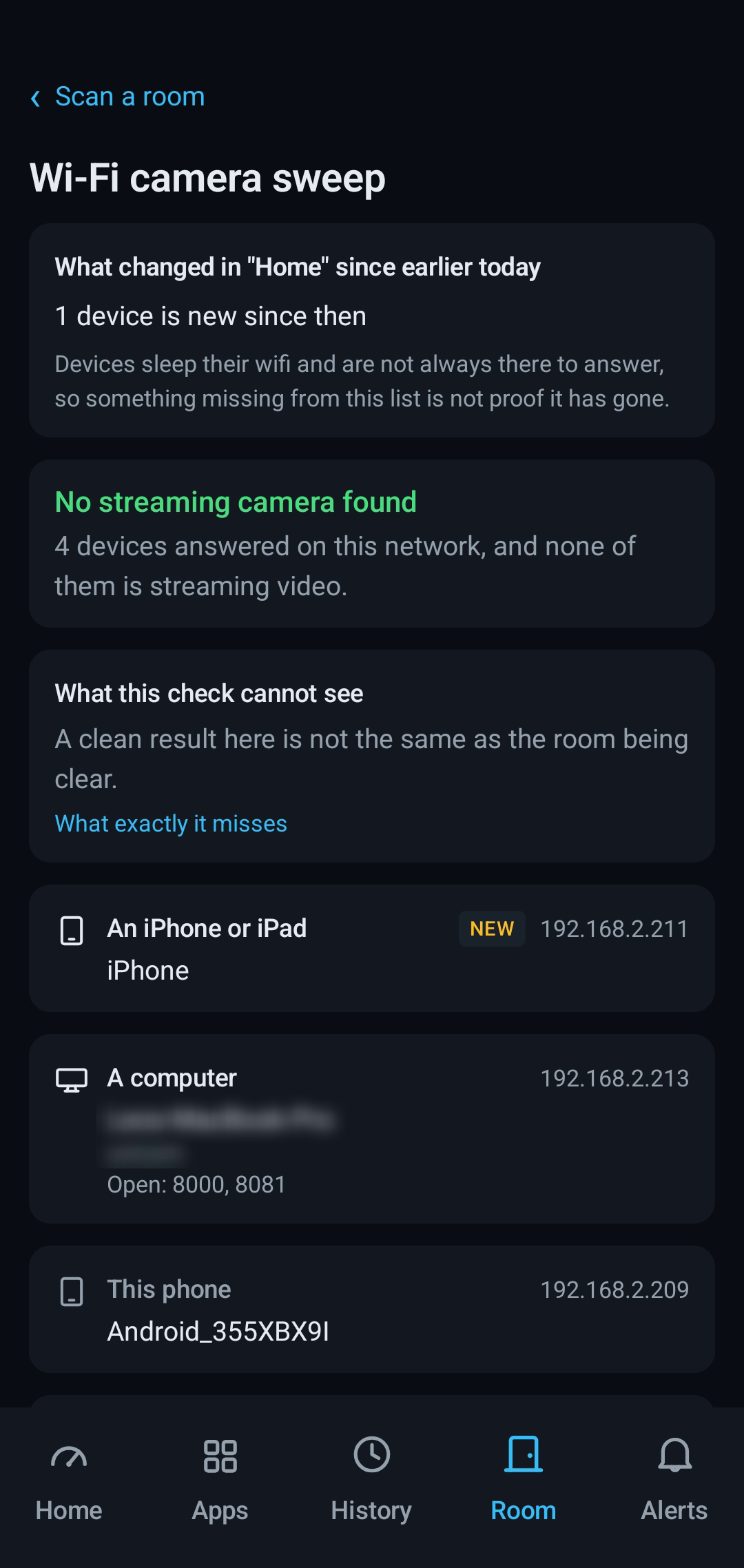
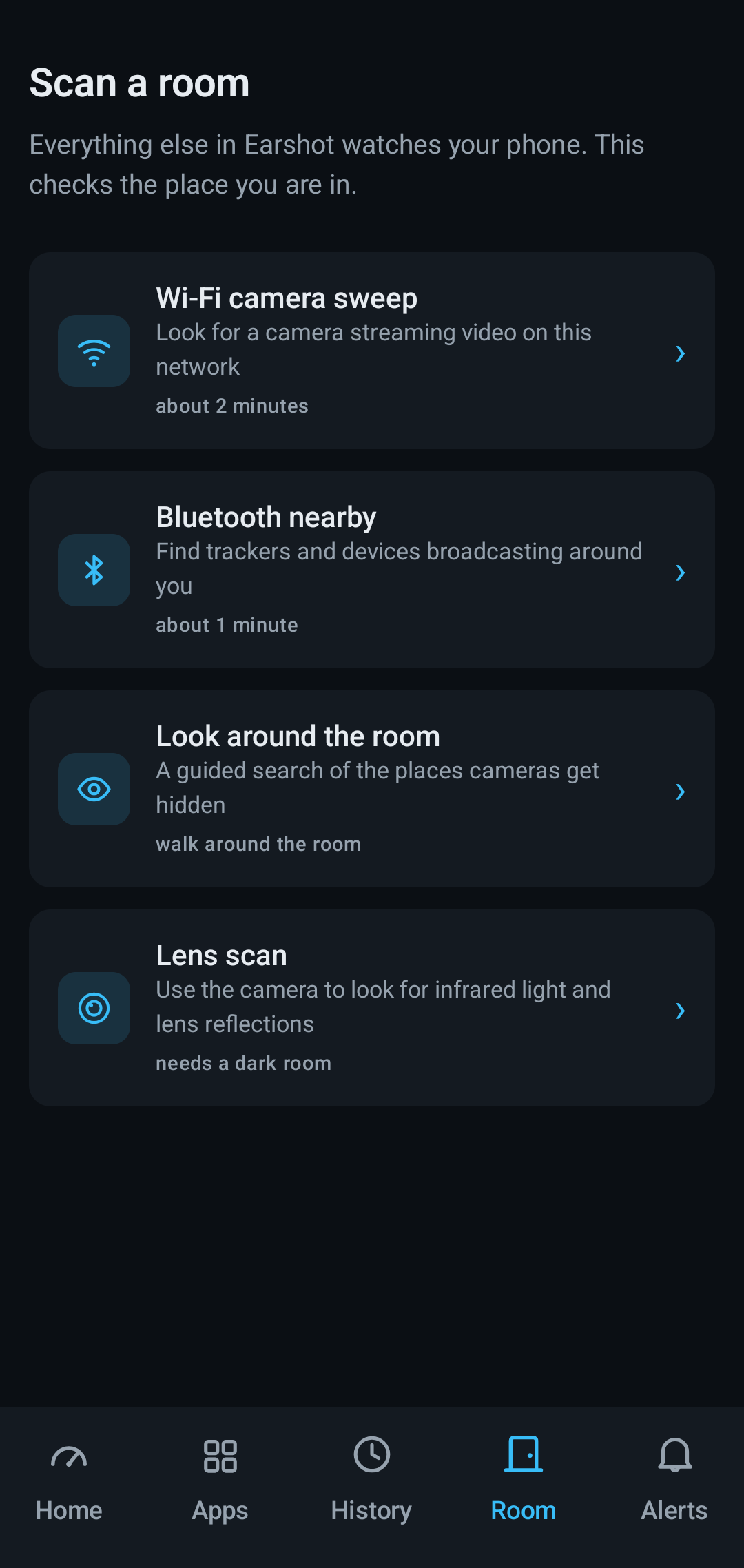
Your phone already shows a green dot when something uses the microphone or camera — then forgets within a day. Earshot Privacy remembers for months, tells you when it happened while you weren't using your phone, and helps you check the room you're standing in.
Each one finds something the others structurally cannot.
Every time the microphone or camera is used, with the time, how long, and whether your screen was off and your phone locked. Kept for months, not 24 hours.
Scans the Wi-Fi you're on and names what answers — phones, printers, media boxes, the router, and anything streaming video.
Listens for trackers broadcasting nearby, then walks you through the places cameras actually get hidden — the check that still works when the electronics find nothing.
Shows you bright reflections and infrared light through the camera. It points at things worth looking at with your own eyes — most reflections are a screw head, and it says so.
Written into the Terms so you can hold us to it, not into a pricing page we can quietly rewrite.
The Wi-Fi sweep, the Bluetooth sweep, the physical checklist and the lens scan cost nothing and will not start costing anything. Those four depend on the physical world, and they're the ones the section above spends the most words admitting the limits of. Taking money for the part we can promise least about is not something we want to do.
If Earshot Privacy is ever paid for, the charge will be for one of three things: the record it keeps of your own phone — the months of history, the night-time patterns, the weekly summary, the report; making the alert audible, so it rings and can wake you instead of arriving silently; and showing you what has changed in a place since the last time you scanned it.
Everyone is always told when the microphone or camera is used, whether they have paid or not. Paying changes how loudly. It never changes whether.
Scanning a hotel room once tells you what is on the network. It cannot tell you what arrived. So Earshot lets you save a place — you name it, nothing is saved unless you ask — and the next scan there says whether anything has appeared since.
Saving a place and being told that something changed are free. Seeing exactly what changed is the paid part.
It does this without knowing where you are. Earshot holds no location permission and does not ask for one. It recognises a place by the devices in it — the television and the router that do not move — not by your position. And it stores no device names and no addresses, only a scrambled fingerprint that never leaves your phone and means nothing on any other copy of the app.
When it is not certain — two branches of the same coffee chain often hand out identical network settings — it asks you rather than guessing. Announcing thirty new devices in a room you have never been in would be worse than saying nothing.
One payment of US$14.99. Not a subscription — nothing renews, and there is nothing to remember to cancel.
Google Play converts that into your own currency and shows you the real figure before you buy, so the amount on the purchase screen may not be exactly $14.99 — in Canada it is about CA$21. We would rather say so here than have you find out at the till.
Everything that tells you something is happening is free, permanently. What you can buy is a longer memory, a louder alert, and the comparison with last time.
| Free | One payment | |
|---|---|---|
| Told every time your microphone or camera is used | Always | Always |
| See what is using them right now | Yes | Yes |
| All four room checks, as often as you like | Yes | Yes |
| Everything a room check found, in full | Yes | Yes |
| Save a place, name it, and be told when something has changed there | Yes | Yes |
| Delete everything, and take a full copy with you on the way out | Yes | Yes |
| How you are told | A silent notification | It rings, and can wake you |
| History | Today only | Months |
| Night-time pattern | The count | Which nights, and when |
| What changed in a saved place | — | What arrived, and what left |
The free tier is not a trial and does not expire. It is Android's own one-day view of your sensors, plus alerts Android does not give you, plus unlimited room checks. If that is all you need, keep it.
Why a single payment rather than a subscription. There is no server and no running cost — nothing here needs renting. Charging rent for something that costs nothing to keep running is the harder story to tell, and a subscription would mean somebody being surprised by a charge they had forgotten. One payment, and it is yours.
The first thing the app shows is a page setting out its limits, with a box to tick saying you understand it cannot prove a room or a phone is safe. There is no way past it. When the app gains something that page didn't describe, you see it again.
Your phone keeps a note of what you agreed to — the date, the version, and a fingerprint of the exact words. Not the words themselves, and nothing at all about you. It never leaves the phone, and you can read it inside the app at any time.
We looked for another app in this category that does this. We didn't find one.
Most apps in this category won't tell you this. It's on every result screen, and it's here too.
Widely repeated advice for finding hidden cameras. None of it is reliable, and the app says so inside — because someone frightened has usually already tried one and drawn a conclusion from it.
The gap depends on the thickness of the glass and which side the coating is on — not on whether anyone is behind it. Modern two-way film leaves a gap too.
Shows your own phone's IMEI. It scans nothing.
That buzz came from 2G phones near speakers. Most hidden cameras have no cellular radio at all.
Your phone's magnetometer finds metal. Walls, screws and pipes are full of metal.
A phone can only see Wi-Fi and Bluetooth. Anything promising more isn't doing it.
Not a policy position — a list of things the app is built without.
| Microphone permission | Never requested |
|---|---|
| Camera permission | Never requested |
| Location permission | Never requested |
| Account or sign-up | None |
| Analytics or crash reporting | None |
| Advertising | None |
| Cloud backup of your history | Disabled in the app manifest |
| The list of apps you've installed | No longer requested |
That last row used to say the opposite. An earlier version asked Android for the list of every app on your phone, so it could show you a permission summary of its own. We took the permission out. A privacy app holding the list of everything you've installed is a worse thing to be than one that sends you to Android's own settings screen — which is what it does now, where the same information lives and nothing passes through us on the way.
You don't have to take our word for any of it. Open Settings → Apps → Earshot Privacy → Permissions and read the list yourself. Full detail in the Privacy Policy.
Real screens, not mockups.